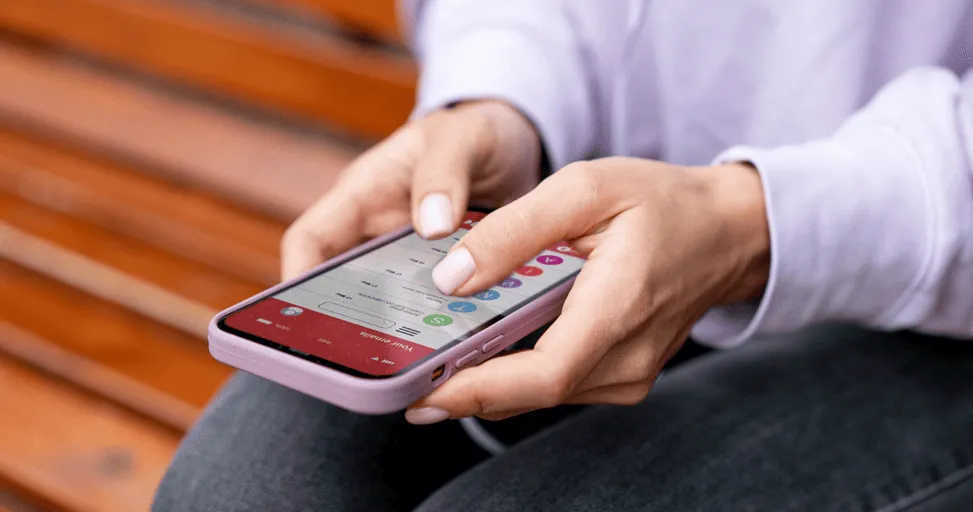
iOS 26 Features Explained for Everyday iPhone Users
If you’ve owned an iPhone for a while, you’ve probably noticed something about Apple’s software updates. Most people get excited for about five minutes. They watch the announcement videos, read a few headlines, update their phones, and then go back to using them exactly as before. A week later, someone asks what changed, and the answer is usually something like: “The icons look a little different, I think.”
That’s because many software updates focus on features that sound impressive during presentations but don’t always affect everyday life. iOS 26 feels a little different.
Instead of introducing dramatic changes that force users to learn new habits, Apple seems to be focusing on improving the things people already do every day. Sending messages, taking photos, organizing information, managing notifications, and getting help from their phones are all becoming a little easier. None of these changes will completely transform how you use your iPhone overnight. But when you add them together, they create a smoother experience that most users will notice over time.
Your iPhone Is Becoming Better at Helping Without Being Asked.
One thing that’s becoming increasingly clear is that smartphones are moving beyond simply responding to commands. For years, phones have waited for us to tell them what to do.
-
Open this app.
-
Search for this information.
-
Set this reminder.
-
Send this message.
Now, software is starting to assist more proactively.
With iOS 26, Apple Intelligence is becoming a bigger part of the experience. The goal isn’t to replace what users do themselves. Instead, it’s designed to reduce some of the small tasks that take up time throughout the day. Maybe you’re reading a long email and only need the key points. Maybe you’ve got pages of notes from a meeting and want a quick summary. Maybe you’re writing a message and struggling to find the right wording.
These are the kinds of situations where the new AI features are designed to help. Most people probably won’t think of it as artificial intelligence. They’ll simply think, “That saved me a few minutes.” And that’s probably the point.
Messages Are Still One of the Most Important Apps on Your Phone
It’s funny how much attention smartphone companies give to cameras and processors when many people spend most of their day inside messaging apps.
Whether it’s family group chats, work conversations, school updates, or messages from friends, communication is still one of the main reasons people pick up their phones. That’s why even small improvements to Messages tend to have a bigger impact than people expect.
iOS 26 introduces features that make conversations easier to manage and keep organized. If you’ve ever tried finding a specific message in a busy group chat or keeping up with multiple conversations at once, you’ll appreciate anything that reduces the chaos.
It’s not the kind of feature you’ll show off to friends.
It’s the kind of feature you’ll quietly appreciate every day.
Siri Finally Feels Like It’s Catching Up
Siri has always been one of those features that people want to use more than they actually do. Most iPhone owners have tried it. Many stopped relying on it regularly. The reason is fairly simple. Conversations with Siri often felt limited.
If you didn’t ask something in the right way, the results could be unpredictable. Apple appears to be addressing that with iOS 26.
Siri is becoming better at understanding context, which means conversations feel less rigid. Instead of treating every question as completely separate, it can better follow what you’re talking about. That may not sound revolutionary, but it makes interactions feel much more natural. And for many users, that’s been missing for a long time.
Managing Photos Is Becoming Less Frustrating
Most people have thousands of photos stored on their phones.
-
Not hundreds
-
Thousands
-
Family gatherings
-
Vacations
-
Screenshots
-
Random pictures of pets
Receipts you’ll never need again but somehow never delete. The problem isn’t taking photos anymore. The problem is finding them later.
iOS 26 continues improving photo organization, making it easier to search through large libraries without endless scrolling. Instead of trying to remember exactly when a picture was taken, users can rely more on smarter search tools to locate what they’re looking for. It’s one of those improvements that doesn’t seem exciting until you’re searching for a specific photo from three years ago.
Small Changes Often Matter More Than Big Ones
Whenever a new iPhone update arrives, people naturally look for one headline feature.
-
Something dramatic
-
Something exciting
-
Something that makes the update feel important
But after years of using smartphones, I’ve started noticing that the features people appreciate most are usually the smaller ones.
-
The faster search
-
The smarter suggestions
-
The better organization
-
The notification improvements
The little things that save a few seconds dozens of times every day. Those improvements rarely appear in giant advertisements. But they’re often what make a phone feel better six months after the update.
Privacy Continues to Be Part of the Conversation
Most users don’t spend their day thinking about privacy settings. They just want confidence that their information is being handled responsibly. That’s one reason Apple continues putting so much focus on privacy features.
iOS 26 builds on existing tools by giving users more visibility into how apps access data and what information is being shared. For many people, these features won’t be something they actively use every day. But knowing they’re there provides a level of reassurance that’s becoming increasingly important as smartphones store more of our personal lives.
Final Thoughts
The biggest thing to understand about iOS 26 is that it isn’t trying to reinvent the iPhone. Apple seems to recognize that most users are already comfortable with how their phones work.
Instead of changing everything, the company is focusing on making familiar experiences feel smoother, smarter, and less frustrating. The update won’t suddenly make your phone feel completely different.
What it will do is improve dozens of small interactions that happen throughout the day. And in many cases, that’s exactly what people want from a software update. Not a completely new experience. Just a better version of the one they already use.
Trending Blogs
Best Android Settings to Change After Buying a New...
Set up your new Android phone properly with key settings for notifications, permissions, display, security, backup, and battery.
iOS vs Android in 2026: Which Is Better for You?
Learn the practical differences between iPhone and Android phones so users can decide which platform fits their needs better.
Best iPhone Settings to Change for Privacy in 2026
Improve iPhone privacy by reviewing app permissions, location sharing, ad tracking, Safari settings, and security recommendations.

Apple Intelligence in iOS: What It Can Actually Do
Explore what Apple Intelligence can do on supported iPhones and how it may improve productivity, communication, and personalization.
Android Foldables: What Users Should Know Before B...
Compare foldable phone benefits and drawbacks, including screen durability, app support, multitasking, battery life, cameras, and price.
How to Make an Android Phone Feel Faster Without U...
Learn how to reduce lag by managing storage, apps, animations, background activity, updates, and battery settings.