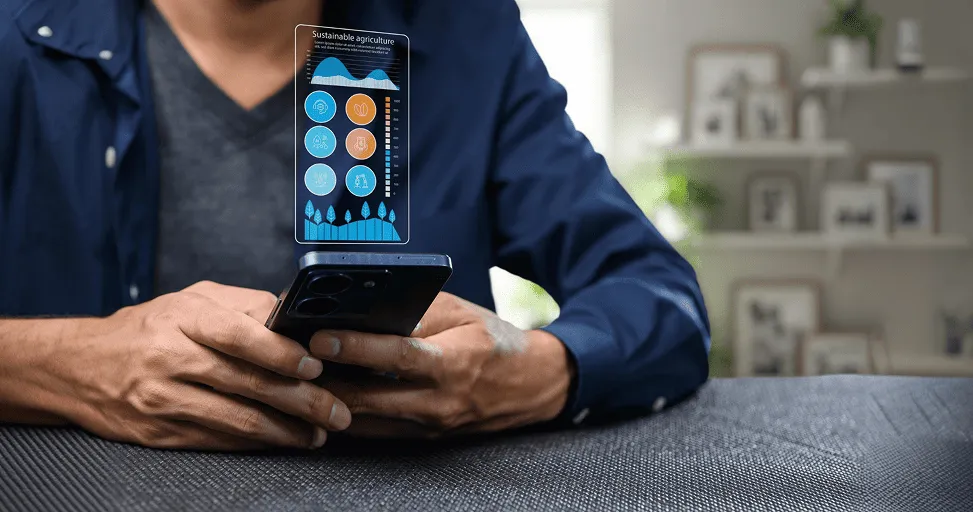
Android 16 Features Explained for Normal Users
Most people don’t get excited when they hear that a new version of Android is coming. Tech enthusiasts might watch launch events and read every feature announcement, but the average person usually has a much simpler question:
“Will this actually make my phone better?” And that’s a fair question. Most smartphone users don’t care about technical terms, developer features, or software architecture changes. They care about things like battery life, app performance, security, notifications, and whether their phone feels faster or smoother than before. That’s why Android 16 is interesting.
Google doesn’t seem to be trying to completely reinvent the smartphone experience, but instead trying to make the little things people deal with every day better. The kind of improvements that may not generate flashy headlines but can make a noticeable difference over time. So if you’ve heard people talking about Android 16 and you’re wondering what it actually means for normal users, here’s a simple explanation.
Your Phone Is Becoming More Helpful Without You Asking
One thing smartphones are getting better at is understanding what you’re trying to do. Think about how often you use your phone throughout the day.
Whether you’re checking messages, looking up directions, taking photos, reading emails, watching videos, or managing work tasks, your phone is constantly helping you get things done.
Your phone already knows a lot about your habits, and Android 16 wants to use that information more intelligently. For example, your phone might get smarter about predicting which apps you will need next, providing you with useful information at just the right time, or reducing the number of clicks to achieve common tasks. The goal isn’t to make your phone feel smarter than you. It’s simply to make everyday actions feel easier and faster. And, most people appreciate anything that saves a few seconds multiple times a day.
Notifications Might Finally Become Less Annoying
If there’s one thing almost every smartphone user can agree on, it’s that notifications can get out of control. One minute you’re checking a message from a friend. The next minute, you’re being interrupted by shopping apps, promotional emails, news alerts, social media updates, delivery notifications, and reminders you forgot you even signed up for.
Sometimes it feels like your phone wants your attention every few minutes. Android 16 continues Google’s effort to make notifications feel less overwhelming. Instead of treating every alert as equally important, the system is becoming better at organizing information and helping users focus on what actually matters.
That may not sound exciting compared to flashy new features. But if your lock screen becomes less cluttered and your phone interrupts you less often, you’ll probably notice the improvement pretty quickly.
Better Battery Life Without Buying a New Phone
Battery life remains one of the biggest concerns for smartphone users. No matter how powerful a phone becomes, nobody enjoys watching the battery percentage drop too quickly. The best part is that improving battery life isn’t always about making batteries bigger.
Sometimes it’s about making software smarter. Android 16 focuses heavily on efficiency. Apps running in the background can be managed more effectively. Power-hungry processes can be controlled better. Resources can be used more intelligently.
Will Android 16 suddenly give you two extra days of battery life? Probably not. But even a few extra hours throughout the day can make a noticeable difference. Especially for people who rely heavily on their phones for work, communication, or entertainment.
Security Is Becoming More Automatic
Most people care about privacy and security. Very few people enjoy managing security settings. That’s just reality. Most users don’t want to spend their weekends adjusting permissions, reviewing settings, or researching online threats.
They simply want their phone to protect them. Android 16 continues moving in that direction. Many security improvements happen quietly in the background. The phone does more work, so users have less to worry about.
That’s important because cyber threats aren’t just a problem for businesses anymore. They affect ordinary people, too.
Our phones now contain banking apps, personal photos, emails, messages, shopping accounts, and a huge amount of sensitive information. That’s why stronger security matters more than ever.
Foldable Phones and Tablets Are Finally Getting More Attention
A few years ago, foldable phones felt like futuristic gadgets. Today, more people are actually buying them. Tablets are also becoming more useful for work, entertainment, and productivity.
The problem is that not every app has adapted well to larger screens.
Sometimes apps look stretched.
Sometimes layouts feel awkward.
Sometimes multitasking isn’t as smooth as it should be.
Android 16 aims to improve these experiences.
For people using foldable devices or tablets, that means apps should feel more natural and make better use of available screen space.
If you’re still using a standard smartphone, this may not matter much right now. But as larger-screen devices become more common, these improvements will become increasingly important.
AI Is Becoming Part of Everyday Phone Use
You can’t talk about technology in 2026 without mentioning artificial intelligence. It’s showing up everywhere. And Android is no exception.
What’s interesting is that AI is no longer being presented as a separate feature. Instead, it’s quietly becoming part of many everyday tasks.
AI is quietly becoming part of photo editing, search, writing assistance, voice commands, translation tools, and smart recommendations.
The average user may not even realize AI is involved. They’ll simply notice that certain tasks take less effort than before. And honestly, that’s probably the best kind of technology. The kind that helps without constantly reminding you it’s there.
Accessibility Features Help More People Than You Think
When people hear the word “accessibility,” they often assume it only applies to a small group of users. In reality, accessibility improvements benefit almost everyone.
Voice controls become easier to use. Text becomes clearer. Captions become more accurate. Navigation becomes simpler.
Android 16 continues expanding accessibility tools and improving how people interact with their devices. What’s interesting is that many features originally designed for accessibility eventually become useful for everyone. That’s happened repeatedly throughout technology history. And it’s happening again.
The Best Updates Are Often the Ones You Barely Notice
Here’s something I’ve learned after years of using smartphones. The updates that make the biggest difference are rarely the flashy ones. They’re usually the quiet improvements.
The battery lasts a little longer.
Apps run a little smoother.
Notifications become less distracting.
Security gets stronger.
Everything feels slightly more polished.
Individually, those improvements may seem small. But together, they can completely change how enjoyable a phone feels to use. Android 16 appears to focus heavily on that philosophy. Instead of trying to reinvent smartphones, it’s trying to improve the experience people already have.
So, Is Android 16 Worth Getting Excited About?
That depends on what you expect from a software update. If you’re hoping for a completely redesigned Android experience, Android 16 may not feel revolutionary. But if you’ve ever been frustrated by battery drain, notification overload, privacy concerns, app performance issues, or everyday phone annoyances, many of these improvements will probably feel worthwhile.
The reality is that smartphones have become incredibly mature products. Most people don’t need their phones to do entirely new things anymore. They simply want them to work better. And that’s exactly where Android 16 seems focused.
You can say that Android 16 isn’t really about flashy features or technical specifications. It’s about making your phone a little smarter, a little safer, and a little easier to live with. And for most people, that’s the kind of upgrade that actually matters.
Trending Blogs
Best Android Settings to Change After Buying a New...
Set up your new Android phone properly with key settings for notifications, permissions, display, security, backup, and battery.
iOS vs Android in 2026: Which Is Better for You?
Learn the practical differences between iPhone and Android phones so users can decide which platform fits their needs better.
Best iPhone Settings to Change for Privacy in 2026
Improve iPhone privacy by reviewing app permissions, location sharing, ad tracking, Safari settings, and security recommendations.

Apple Intelligence in iOS: What It Can Actually Do
Explore what Apple Intelligence can do on supported iPhones and how it may improve productivity, communication, and personalization.
iOS 26 Features Explained for Everyday iPhone User...
Learn how iOS 26 changes the iPhone experience with updated visuals, smarter tools, better communication, and everyday convenience features.
Android Foldables: What Users Should Know Before B...
Compare foldable phone benefits and drawbacks, including screen durability, app support, multitasking, battery life, cameras, and price.