Android App Permissions Explained: What Should You Allow?
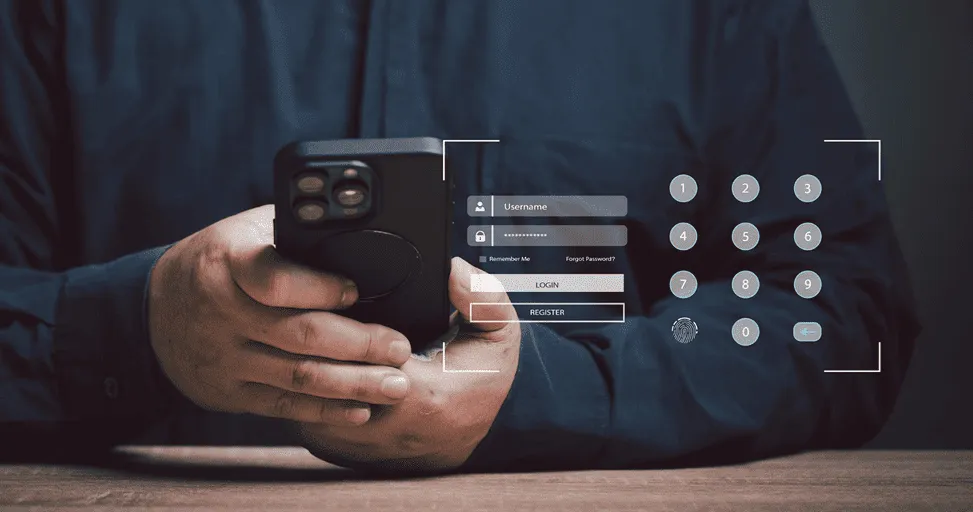
If you’re like most people, you’ve probably installed an app, seen a permission request pop up, and tapped “Allow” without thinking twice about it. No judgment. We’ve all done it. Usually, we’re in a hurry. We want to use the app. We want to order food, edit a photo, check directions, or message a friend.
The permission request feels like a small obstacle standing between us and what we’re trying to do. So we approve it and move on. The problem is that after years of downloading apps, many people have no idea what information their apps can actually access.
And that’s completely understandable. Most permission requests sound technical, and nobody wants to stop and analyze every pop-up message. The best part is that understanding Android permissions is much easier than it sounds. You don’t need to be a cybersecurity expert. You just need to know when a permission makes sense and when it should raise a question.
Most Permissions Are Completely Normal
One thing that’s important to understand is that permissions aren’t automatically bad. Sometimes people hear discussions about privacy and start assuming every permission request is a warning sign. That’s not really the case.
Apps need certain permissions to do their jobs. Imagine opening Google Maps and refusing location access. The app wouldn’t be very useful. Or trying to make a video call without allowing camera or microphone access.
Some permissions are simply necessary. The key isn’t avoiding permissions. The key is asking a simple question: “Does this app actually need this information to work properly?” Most of the time, the answer is surprisingly obvious.
Location Access Is Worth Paying Attention To
Location is probably the permission people think about most. And for good reason. Your location can reveal a lot about your daily life.
-
Where do you live?
-
Where do you work?
-
Where do you travel?
-
Where do you spend your time?
That’s why Android gives users more control over location sharing than ever before. Now let’s be practical. If you’re using a navigation app, location access makes perfect sense. The same goes for ride-sharing apps, food delivery services, travel apps, and weather applications.
Without your location, those services simply can’t work properly. The situation feels different when a basic app asks for the same permission. If you’re downloading a calculator app and it immediately wants access to your location, it’s reasonable to wonder why. That doesn’t automatically mean something suspicious is happening. But it does mean you should pause and think before approving it.
For most apps, “Allow only while using the app” is usually a good middle ground. You get the functionality without giving the app unlimited access.
Camera Access Usually Has a Clear Purpose
Camera permissions are often easier to understand.
If you’re using social media apps, video calling platforms, QR code scanners, or photo editing tools, camera access is expected. After all, the app can’t take photos or scan codes without it. The easiest way to evaluate camera access is to think about the app’s purpose.
If the app’s main function involves photos or video, the request makes sense. If it doesn’t, it’s worth taking a closer look. Fortunately, Android now makes things more transparent. Most modern devices show a small indicator whenever the camera is active. That means users can immediately see when the camera is being used. And that’s a feature many people appreciate.
Microphone Permissions Deserve the Same Logic
Microphone access follows a similar pattern. Some apps obviously need it.
-
Video calling apps
-
Voice recorders
-
Language translation tools
-
Voice search features
-
Voice messaging services
Those requests are easy to understand. The confusion usually comes when unrelated apps request microphone access. That’s when it’s worth asking yourself: “What exactly is this app trying to do?”
The good thing is that Android gives users plenty of flexibility. Even if you grant microphone access initially, you can always change it later. Nothing is permanent. And that’s reassuring for people who prefer having more control.
Contacts Access Is One Permission People Often Overlook
This is probably the permission that surprises people the most. Many users grant contact access automatically because it seems harmless. Sometimes it’s useful. Messaging apps can find people you know. Email apps can make communication easier. But not every app needs access to your contact list.
And it’s worth remembering that your contacts don’t only contain information about you. They contain information about friends, family members, coworkers, and other people, too. That’s why it’s worth being a little selective.
If an app genuinely benefits from contact access, granting permission makes sense. If the app works perfectly well without it, you might choose to keep that information private.
Photo Access Has Improved Significantly
One thing Android deserves credit for is improving how photo permissions work. A few years ago, granting photo access often meant giving an app permission to view your entire gallery.
Many people weren’t comfortable with that. And that’s understandable. Today, Android gives users much more flexibility. In many cases, you can choose specific photos rather than sharing your entire collection. It’s a small change on paper. But it gives users much more confidence. You can upload the image you need without exposing everything else stored on your phone. And that’s a much better experience.
Notifications Might Be the Most Annoying Permission of All
Let’s switch gears for a moment. Notifications aren’t usually discussed as a privacy issue. But they can absolutely affect your daily experience. Think about what happens after installing a new app. Almost immediately, it asks permission to send notifications. Most people tap “Allow.”
Then, a few weeks later, they’re wondering why their phone won’t stop buzzing.
-
Promotions
-
Sales alerts
-
Reminders
-
News updates
-
Special offers
-
Random marketing messages
Before long, the useful notifications become buried under the unnecessary ones. That’s why it’s worth being selective. Not every app deserves a direct line to your attention.
You Can Always Change Your Mind
One thing many Android users don’t realize is that permissions aren’t permanent. Granting permission today doesn’t mean you’re stuck with that decision forever.
Maybe you allowed location access six months ago.
Maybe you don’t use that feature anymore.
Maybe you’ve stopped using the app entirely.
You can simply open your settings and adjust permissions whenever you want. In fact, Android has become quite good at reminding users about apps they rarely use. The system may even suggest removing permissions automatically from inactive apps. That’s helpful because most of us have apps sitting on our phones that we completely forgot existed.
The Goal Isn’t to Say No to Everything
Sometimes discussions about privacy make people feel like they should reject every permission request. That’s not realistic. And, it’s not necessary. Apps need certain permissions to function properly. The goal isn’t to block everything. The goal is to understand why access is being requested.
When the permission matches the app’s purpose, granting access usually makes perfect sense. When it doesn’t, that’s when it’s worth asking questions. It’s really that simple.
Final Thoughts
App permissions can seem confusing at first, but they’re really about one thing. Control. Android gives you the ability to decide what information apps can access and when they can access it. And that’s a good thing.
The next time you install an app and see a permission request, don’t automatically panic. But don’t automatically approve it either. Take a moment and ask yourself: “Does this request make sense for what this app is supposed to do?” Most of the time, the answer will be obvious.
And once you start thinking that way, managing permissions becomes much less about technology and much more about common sense. Because at the end of the day, the smartest privacy decision isn’t saying yes to everything or no to everything. It’s simply understanding what you’re agreeing to.
```
Trending Blogs
Best Android Settings to Change After Buying a New...
Set up your new Android phone properly with key settings for notifications, permissions, display, security, backup, and battery.
iOS vs Android in 2026: Which Is Better for You?
Learn the practical differences between iPhone and Android phones so users can decide which platform fits their needs better.

Best iPhone Settings to Change for Privacy in 2026
Improve iPhone privacy by reviewing app permissions, location sharing, ad tracking, Safari settings, and security recommendations.

Apple Intelligence in iOS: What It Can Actually Do
Explore what Apple Intelligence can do on supported iPhones and how it may improve productivity, communication, and personalization.

iOS 26 Features Explained for Everyday iPhone User...
Learn how iOS 26 changes the iPhone experience with updated visuals, smarter tools, better communication, and everyday convenience features.

Android Foldables: What Users Should Know Before B...
Compare foldable phone benefits and drawbacks, including screen durability, app support, multitasking, battery life, cameras, and price.